 Earphones & Headset & Handsfree & Microphone gadgets
 Mobile Phone Accessories
 Air Quality & Purifier & Humidifer & Fan
 Camera & Projector accessories
 Cleaning & Sweeper & vacuum cleaner Appliances
 Games & Accessories
 speaker gadgets
 Shaver & Razor & Cleaner & Remover & Steamer
 Charger & holder & Power Bank
 Smart Electronics
 Ring Light

 Travel Bags & Luggage & Tent & Glassess
 Fishing & Hiking & Cycling & Swimming & Running
 Sneakers & bags & skate & Belt
 Physical Strength & Sportwear
 Sports injuries
 Other Sports Equipment
 Pet Drinking & Feeding & Grooming
 Pet Furniture’s & house & bag & bedding
 Pet Outdoor Supplies
 Pet Toys & Collars & Harnesses
 Arts, Crafts & Sewing
 good light
 Bulbs & LED & Tube & Indoor & Outdoor lighting
 Heater & Kettle & Duster & Warmer
 Mixture & Juicer & Dispenser & Slicer & cutter & Blender
 Mug & bottle
 Halloween
 Chrismas Eve
 Valentine
 black friday day
 father’s day
 Mather’s day
 Carrier
 Toys & Hobbies

 Tools, Maintenance & Care


10 Common Microphone Mistakes That Ruin Your Audio Quality
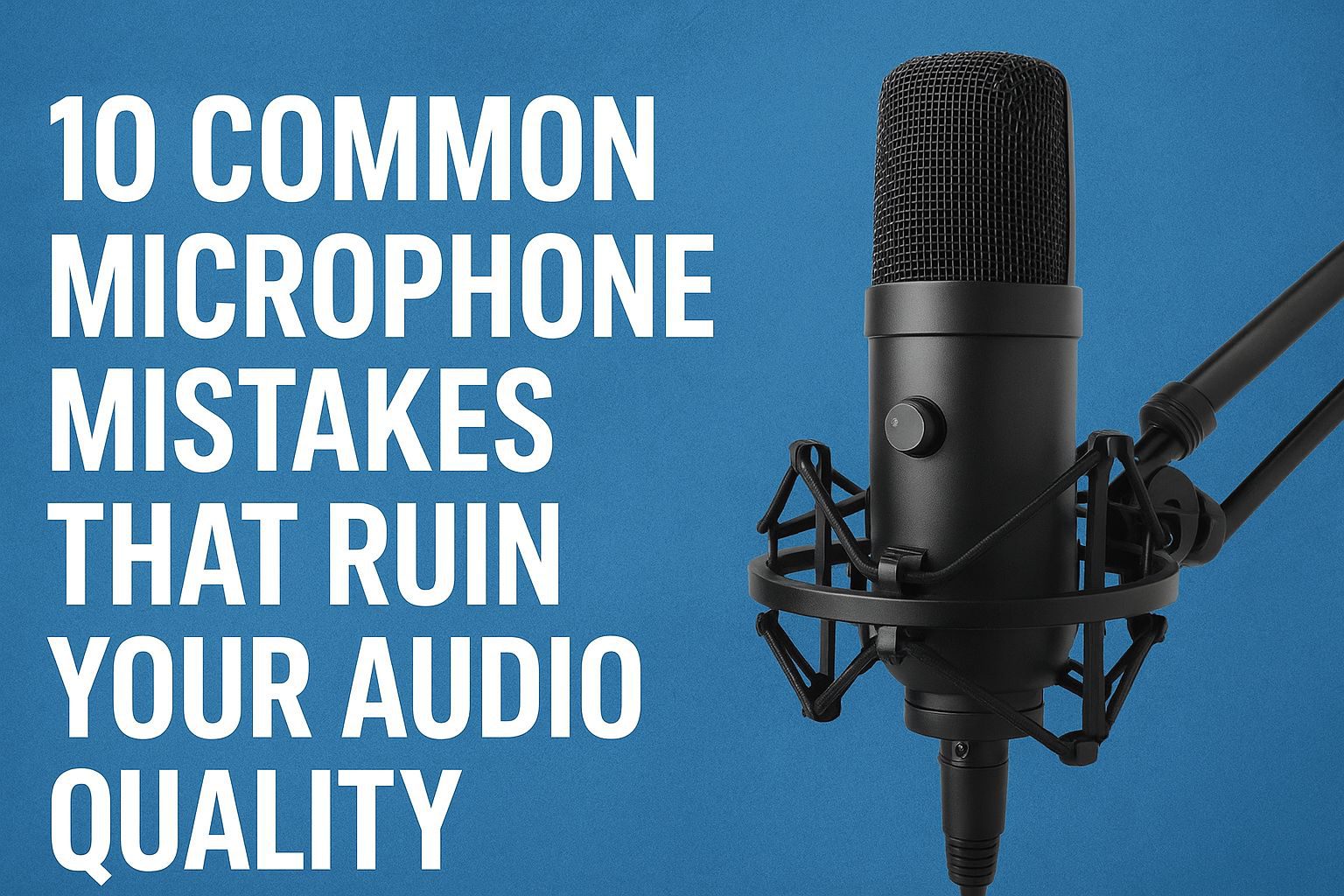
10 Common Microphone Mistakes That Ruin Your Audio Quality
Good audio quality can make or break your content. Whether you're recording a podcast, filming a YouTube video, creating music, or streaming live, even a high-end microphone can sound bad if used incorrectly.
Below are the 10 most common best microphone mistakes that many creators make — and how to fix each one for clean, professional-grade sound.
keywords : lightweight microphone,
1. Using the Wrong Microphone for the Job
Why This Is a Mistake
Every microphone is designed for a specific purpose. Using a vocal mic for instruments, or a camera mic for streaming, can lead to muddy or distorted audio.
How to Fix It
Choose the right type:
Dynamic mics → best for vocals, podcasting, live sound
Condenser mics → best for studio recording, vocals, instruments
Lavalier mics → best for interviews, presentations
Shotgun mics → best for filmmaking and outdoor recording
2. Incorrect Microphone Positioning
Too Close
Causes distortion, plosive sounds, and harsh bass.
Too Far
Results in thin, weak audio with high background noise.
Wrong Angle
Affects clarity and tone.
How to Fix It
Keep 10–15 cm distance from the mic
Position it slightly off-axis to reduce plosives
Use a pop filter for vocal clarity
3. Ignoring Room Acoustics
Why This Is a Mistake
Hard walls create reflections, echo, and reverb — making your audio sound cheap and unprofessional.
How to Fix It
Record in rooms with curtains, carpets, or soft materials
Add acoustic foam or panels
Avoid empty rooms with hard surfaces
4. Incorrect Gain Settings
Too High → clipping, distortion
Too Low → noisy, weak audio
How to Fix It
Keep input levels between −12 dB to −6 dB Avoid going into the red zone Monitor gain before recording
5. Recording in a Noisy Environment
Common Noise Sources
Fans, AC units, traffic, echo, keyboard clicks, outdoor sounds.
How to Fix It
Turn off noise sources
Use a dynamic mic if the environment is noisy
Enable noise reduction in your audio interface or software
6. Not Using a Pop Filter or Windscreen
Why This Is a Problem
Plosive sounds (P, B, T) hit the microphone capsule and damage audio quality.
How to Fix It
Use a pop filter for vocals
Use a windscreen for outdoor recordings
7. Using Poor-Quality Cables or Connectors
Symptoms Buzzing, humming, crackling, and sound dropouts.
How to Fix It
Use high-quality XLR or USB cables
Avoid bending or stretching cables
Replace damaged or old connectors
8. Ignoring the Microphone Polar Pattern
Why This Is a Mistake
Different polar patterns capture sound differently:
Cardioid → picks sound from the front
Omnidirectional → picks sound from all sides
Bidirectional → ideal for interviews
How to Fix It
Choose the correct polar pattern for your recording environment.
9. Not Monitoring Audio While Recording
Why Monitoring Matters
Without monitoring, you cannot hear clipping, background noise, or distortion in real time.
How to Fix It
Use closed-back headphones
Monitor through your audio interface
Check levels throughout the session
10. Using Low-Quality Interfaces or Adapters Why This Hurts Quality Cheap USB adapters or weak
interfaces add noise and reduce clarity.
How to Fix It
Use a reliable audio interface
Avoid low-quality 3.5mm adapters
Choose USB-C or XLR connections when possible
Conclusion Improving microphone technique is the fastest way to upgrade your audio quality — even without buying a new mic. By avoiding these common mistakes and using the proper setup, you can achieve crisp, clean, and professional sound for your content.
For high-quality microphones and audio gear, visit Edris Shop — your trusted store for professional recording equipment.
Ready to find your perfect or lifestyle product?
Find the latest gadgets, Health and beauty tools, fitness devices, pet accessories, kitchen gadgets, Decor essentials, Toys Kids, and car accessories at Edris Online Store.
your trusted destination for smart online shopping with quality and great, affordable, cheap prices, and fast worldwide delivery!